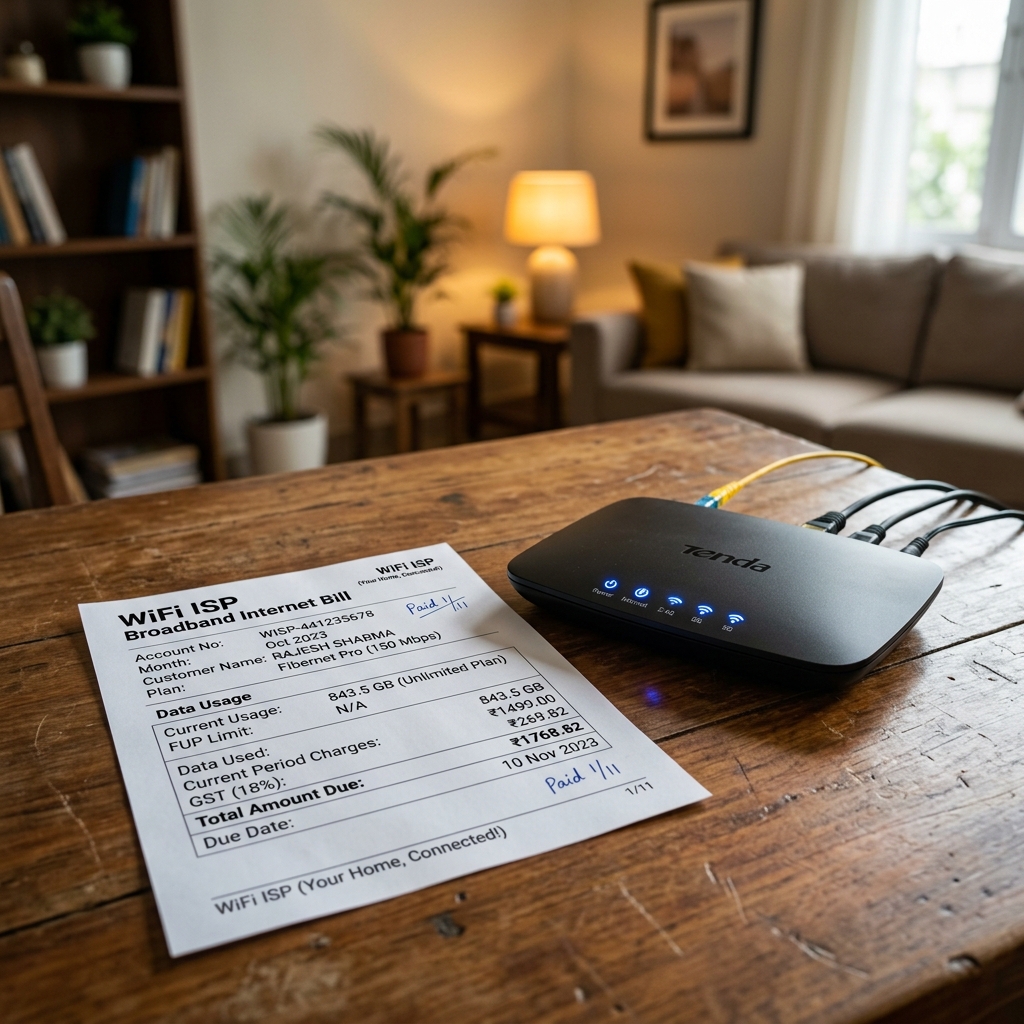
An internet or Wi-Fi bill for a business must show the provider name and GSTIN, your business name, the billing period and plan, the base charge with 18% GST (CGST + SGST), and the total paid. Get those fields right and the bill is valid for an expense claim, for input tax credit, and for your own accounts. This guide gives you the exact format, a filled sample, and a free way to make a clean copy in two minutes.
Quick answer: what an internet bill must include
- Provider / ISP name, address, and GSTIN (15 digits)
- Your business name, address and GSTIN (for ITC claims)
- Unique invoice / bill number and bill date
- Billing period (e.g. 01 May – 31 May 2026)
- Plan name and speed (e.g. "Fibre 300 Mbps Unlimited")
- Base amount, CGST @ 9% + SGST @ 9%
- Total payable and payment mode (UPI / card / auto-debit)
Mandatory fields (and why each one matters)
| Field | Example | Why it matters |
|---|---|---|
| Provider name | Bharat Fibre Broadband Pvt Ltd | Identifies the supplier of service |
| Provider GSTIN | 29AABCS1429B1Z9 | Mandatory on a tax invoice; enables your ITC claim |
| Customer (business) name | Kiran Rao Digital Studio | Ties the expense to your business, not an individual |
| Customer GSTIN | 29AAGCB3344L1Z2 | Required for the recipient to claim input tax credit |
| Invoice number | BF-INV-2026-04417 | Must be unique for the provider's GSTR-1 and your records |
| Bill date & billing period | 01 Jun 2026 · 01–31 May 2026 | Fixes the tax period and the service month claimed |
| Plan & speed | Fibre 300 Mbps Unlimited | Shows the service is a business-grade connection |
| Base amount | ₹999.00 | The taxable value before GST |
| CGST & SGST | 9% + 9% | The legally required 18% split for intra-state supply |
| Total payable | ₹1,178.82 | The amount actually paid; the figure you claim |
| Payment mode | UPI / Auto-debit | Reconciliation and audit trail |
Sample internet / Wi-Fi bill (filled example)
Bharat Fibre Broadband Pvt Ltd 22 Residency Road, Bengaluru, Karnataka 560025 · GSTIN: 29AABCS1429B1Z9 Invoice: BF-INV-2026-04417 · Bill Date: 01 Jun 2026 Billing Period: 01 May 2026 – 31 May 2026 Customer: Kiran Rao Digital Studio · GSTIN: 29AAGCB3344L1Z2
| Description | Plan | Amount (₹) |
|---|---|---|
| Broadband subscription | Fibre 300 Mbps Unlimited | 999.00 |
| Taxable value | 999.00 | |
| CGST @ 9% | 89.91 | |
| SGST @ 9% | 89.91 | |
| Total Payable | 1,178.82 |
Payment: Auto-debit (UPI) · Account No: BF-BLR-558210 · Paid in full
For an inter-state supply (provider and customer in different states), the same 18% is charged as a single IGST @ 18% line instead of CGST + SGST. For a fixed-line broadband connection the place of supply is normally the installation address, so an intra-state split is the usual case.
GST and tax treatment for internet bills (FY 2025–26)
This is where most internet bills are mis-handled:
- 18% GST (9% CGST + 9% SGST) applies to broadband, fibre, leased-line and Wi-Fi services — these fall under telecommunication services. Confirm the prevailing rate against the CBIC GST rate notifications(opens in new tab), as slabs can change at GST Council(opens in new tab) meetings.
- Input tax credit: a GST-registered business can claim the ₹179.82 GST in the sample above as ITC, provided the invoice carries your business name and GSTIN and the provider has reported the invoice in their GSTR-1. If you are preparing your records for filing, see our guide on how to prepare bills for GSTR-1 filing.
- CGST + SGST vs IGST: intra-state connections use the CGST + SGST split; only genuinely inter-state supplies use IGST. The maths of the CGST + SGST split is explained here.
- Expense deductibility: internet used wholly for business is an allowable expense under the Income Tax Act(opens in new tab). For a connection shared between home and office, claim only the business proportion and keep the bill as evidence. Freelancers who bill clients for connectivity should mirror the same line on their freelancer invoice format, and a broadband bill is one of the core bills every small business should keep on file.
Record-keeping vs fraud. Generating a tidy PDF of a genuine bill — to attach to a reimbursement claim or to file in your accounts — is perfectly legitimate. Inventing amounts, back-dating periods, or creating a bill from a provider you never paid is invoice fraud and can trigger penalties under GST law and the Bharatiya Nyaya Sanhita(opens in new tab). Always mirror what you actually paid.
How to create an internet bill in 2 minutes
You do not need accounting software to produce a clean, professional copy. Using the utility bill generator:
- Pick a utility / internet template that already lays out the GST fields.
- Enter the provider details — ISP name, address and GSTIN.
- Add your business details — name, address and GSTIN (saved for next time).
- Set the billing period and plan, then the base amount; the tool computes CGST + SGST automatically.
- Choose the payment mode and download a clean PDF ready to file or attach to a claim.
If you reimburse this cost to staff or claim it from a client, our walkthrough on how to create a professional bill without software covers the wider workflow.
Online generator vs Word vs Excel
| What matters for an ISP bill | Online generator | MS Word | Excel |
|---|---|---|---|
| Auto 18% split into 9% CGST + 9% SGST | Yes Computed for you | No Type each line by hand | Partial Only if you wire up formulas |
| Billing-period (from–to) block built in | Yes Ready field | Partial Draw it yourself | Partial Draw it yourself |
| Plan name + speed line (e.g. 300 Mbps) | Yes Dedicated row | Partial Free-text, easy to misalign | Partial Free-text cell |
| Carries both provider & recipient GSTIN for ITC | Yes Both saved | No Re-keyed every bill | Partial Copy-paste, error-prone |
| Switches CGST/SGST to a single IGST line | Yes One toggle | No Rebuild the table | Partial Rewrite the formula |
| Looks like a real ISP tax invoice on PDF | Yes Print-ready | Partial Layout drifts | No Grid lines leak through |
| Reusable for next month's cycle | Yes Duplicate & edit date | Partial Save-as each time | Partial Copy the sheet |
Common mistakes to avoid
- Omitting your business GSTIN — without it on the bill you cannot claim input tax credit.
- Using a personal name on a business broadband account, which weakens the expense claim.
- Leaving out the billing period — reimbursement and audit teams need to see the exact service month.
- Applying the wrong GST — broadband is 18%, not 5% or 12%; an incorrect split breaks reconciliation.
- Claiming 100% of a shared home connection when only part is for business.
- Altering figures so the bill no longer matches what you actually paid — never do this.
Sources & references
- CBIC GST Portal(opens in new tab) — official GST rates and tax invoice rules
- GST Council(opens in new tab) — rate change notifications
- Income Tax Department(opens in new tab) — business expense deductibility
- India Code(opens in new tab) — statutory law on fraud and false documents
Need a clean internet or Wi-Fi bill for your records right now? Create one free with the utility bill generator → — no sign-up, instant PDF.