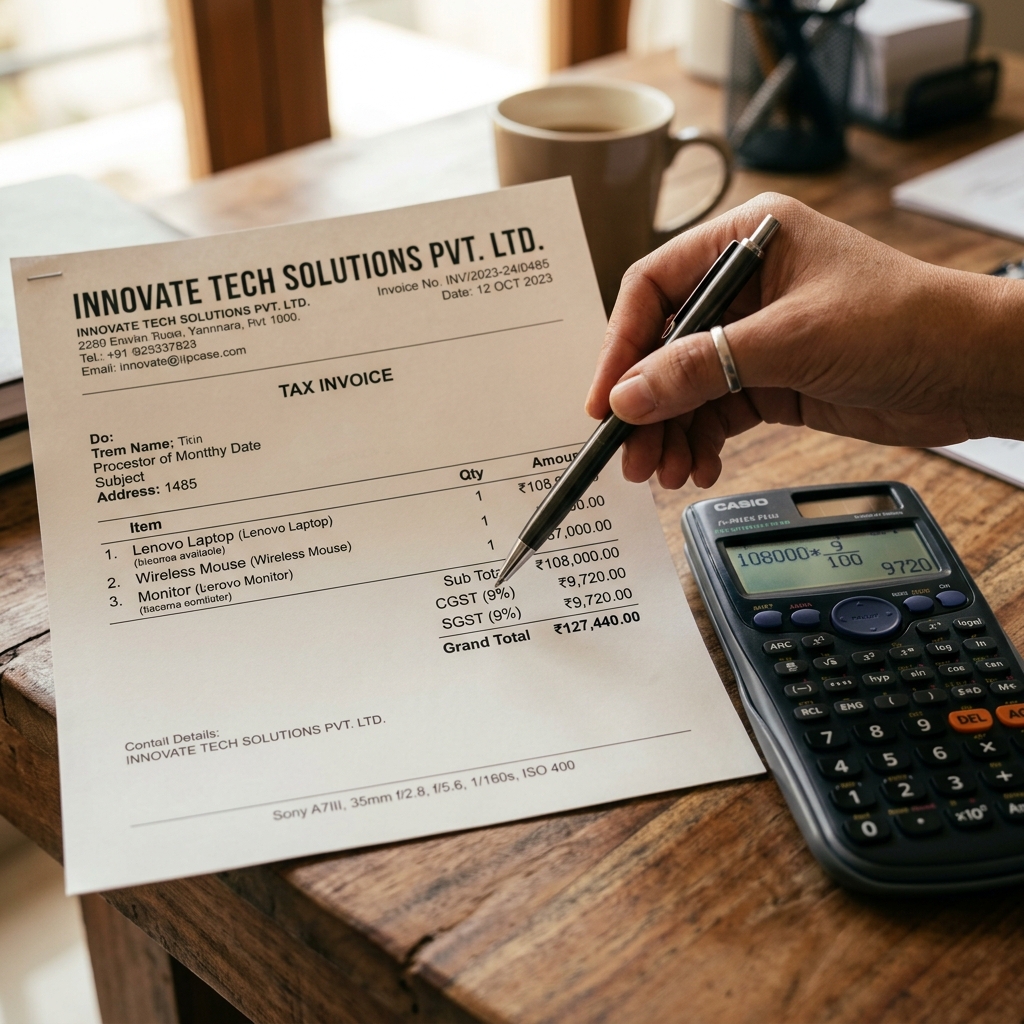
To calculate GST on a bill, multiply the base price by the GST rate: GST amount = base price × rate ÷ 100, then add it to the base for the total. On a ₹1,000 item at 18%, GST is ₹180 and the total is ₹1,180. For a sale within your own state, that ₹180 splits equally into CGST ₹90 + SGST ₹90. This guide works through every case — adding GST, extracting GST from an inclusive price, the CGST/SGST/IGST split, and correct rounding.
Quick answer: the GST formulas
- Add GST (exclusive price): GST = base × rate ÷ 100 · Total = base + GST
- Extract GST (inclusive price): Base = total ÷ (1 + rate ÷ 100) · GST = total − base
- Intra-state (same state): CGST = SGST = total GST ÷ 2
- Inter-state (different states): IGST = full GST rate, single charge
- Rounding: round the final tax to the nearest rupee (≥ 50 paise up, < 50 paise down)
- GST slabs (FY 2025–26): 0%, 5%, 12%, 18%, 28% — picked by your HSN/SAC code
The two numbers you need before you start
Every GST calculation depends on just two inputs. Get these right and the maths is trivial.
| Input | Example | Why it matters |
|---|---|---|
| Taxable value (base price) | ₹1,000 | The value GST is charged on — after any discount shown on the invoice |
| GST rate | 18% | Determined by the item's HSN (goods) or SAC (services) code; wrong rate = wrong tax |
| Place of supply | Haryana → Haryana | Decides CGST+SGST (intra-state) vs IGST (inter-state) |
| Inclusive or exclusive? | "Price + GST" vs "Price incl. GST" | Decides whether you add GST or extract it (reverse calculation) |
| GSTIN of seller | 06AAHCG2233U1Z0 | You can only charge GST if you are registered with a valid 15-digit GSTIN |
Case 1: GST-exclusive (adding GST to a base price)
This is the most common case — your price list is "plus GST". Say Kapoor Furnishings in Gurugram, run by Neha Kapoor, sells office chairs at ₹1,000 each (exclusive of GST) and the GST rate is 18%.
- GST amount = 1,000 × 18 ÷ 100 = ₹180
- Split it (same-state sale): CGST = 180 ÷ 2 = ₹90 · SGST = ₹90
- Total payable = 1,000 + 180 = ₹1,180
For a quantity of 5 chairs: base = 5 × 1,000 = ₹5,000 → GST = ₹900 (CGST ₹450 + SGST ₹450) → total ₹5,900.
Tip: Always calculate GST on the line total after discount. A 10% discount on ₹1,000 makes the taxable value ₹900, so GST at 18% becomes ₹162 — not ₹180.
Case 2: GST-inclusive (the reverse / backward calculation)
Sometimes the price already includes GST — common in retail MRP, restaurants, and B2C bills where the customer pays one round figure. To find how much of a ₹1,180 inclusive price is tax at 18%:
- Base price = total ÷ (1 + rate ÷ 100) = 1,180 ÷ 1.18 = ₹1,000
- GST component = total − base = 1,180 − 1,000 = ₹180
- Split (same state): CGST ₹90 + SGST ₹90
The general reverse formula is worth memorising:
GST included in price = total × rate ÷ (100 + rate) e.g. 1,180 × 18 ÷ 118 = ₹180.
Here is the same shortcut for every common slab on a ₹1,180-style inclusive amount, so you can see the divisor:
| GST rate | Divisor (1 + rate/100) | Extract-GST factor (rate ÷ (100+rate)) |
|---|---|---|
| 5% | 1.05 | 5 ÷ 105 ≈ 0.04762 |
| 12% | 1.12 | 12 ÷ 112 ≈ 0.10714 |
| 18% | 1.18 | 18 ÷ 118 ≈ 0.15254 |
| 28% | 1.28 | 28 ÷ 128 ≈ 0.21875 |
Case 3: CGST + SGST vs IGST
The split depends entirely on place of supply, not on where your office is registered.
- Intra-state (seller and buyer in the same state/UT): charge CGST + SGST, each half the total rate. 18% becomes 9% CGST + 9% SGST.
- Inter-state (seller and buyer in different states/UTs, or exports/SEZ): charge IGST as a single line equal to the full rate — 18% IGST.
You never charge both on the same line. The total tax is identical either way; only the split and the destination of the revenue change.
| Scenario | Example | Tax charged on ₹10,000 @ 18% |
|---|---|---|
| Haryana → Haryana | Gurugram seller, Faridabad buyer | CGST ₹900 + SGST ₹900 = ₹1,800 |
| Haryana → Karnataka | Gurugram seller, Bengaluru buyer | IGST ₹1,800 |
For a deeper field-by-field breakdown of a compliant invoice, see our GST bill mandatory-fields checklist, and if you are unsure which document you even need, read invoice vs bill vs receipt.
Annotated sample tax invoice (filled example)
A complete invoice from a registered seller, showing two items at different slabs and a correct intra-state split.
Kapoor Furnishings 12 Sector 29 Market, Gurugram, Haryana 122001 · GSTIN: 06AAHCG2233U1Z0 Tax Invoice: INV-2026-00318 · Date: 01 Jun 2026 Bill to: Apploye Solutions Pvt Ltd, Gurugram, Haryana · GSTIN: 06AAGCA1234D1Z5 Place of supply: Haryana (intra-state → CGST + SGST)
| # | Item | HSN | Qty | Rate (₹) | Taxable (₹) | GST % | CGST (₹) | SGST (₹) |
|---|---|---|---|---|---|---|---|---|
| 1 | Office chair | 9401 | 5 | 1,000.00 | 5,000.00 | 18% | 450.00 | 450.00 |
| 2 | A4 paper ream | 4802 | 10 | 250.00 | 2,500.00 | 12% | 150.00 | 150.00 |
| Subtotal | 7,500.00 | 600.00 | 600.00 | |||||
| Total CGST | 600.00 | |||||||
| Total SGST | 600.00 | |||||||
| Grand Total | ₹8,700.00 |
Amount in words: Eight thousand seven hundred rupees only · Payment: NEFT
Notice that each item is taxed at its own slab (18% on the chair, 12% on the paper), and the CGST/SGST are summed across all lines before rounding.
Rounding: do it once, at the end
The Indian GST law has a specific rounding rule. Under Section 170 of the CGST Act, 2017(opens in new tab), the tax amount payable is rounded to the nearest rupee: 50 paise and above rounds up, below 50 paise rounds down.
Two practical rules that keep you out of trouble:
- Round the final tax total, not every intermediate line. Rounding each line separately accumulates errors and can cause mismatches when your invoice data flows into GSTR-1.
- Use a "round-off" line if the grand total isn't a whole rupee. Example: if tax works out to ₹179.40, you may show a round-off of −₹0.40 so the payable is a clean figure — many accounting systems and the GST return formats expect this.
Example: Base ₹996, GST @ 18% = ₹179.28. Rounded tax = ₹179 (28 paise < 50, rounds down). Payable = 996 + 179 = ₹1,175.
GST rates and slabs (FY 2025–26)
The correct rate is driven by your item's classification, not guesswork. India's GST has five main rate slabs:
- 0% (nil-rated/exempt) — fresh produce, unbranded staples, certain healthcare and education.
- 5% — essential goods, economy items, standalone restaurant food (no ITC).
- 12% — processed foods, business-class items, some apparel above thresholds.
- 18% — the most common slab; most services, electronics, stationery, furniture.
- 28% — luxury and "sin" goods (often with an additional compensation cess).
Find your exact rate using the HSN code (for goods) or SAC code (for services) on the official CBIC GST rate finder(opens in new tab). Rates are revised in GST Council meetings, so confirm before billing — see the GST Council site(opens in new tab) for the latest notifications.
Outside GST: Petrol, diesel, ATF, natural gas and alcohol for human consumption are currently outside GST — they attract VAT and excise instead. So a fuel pump bill carries no CGST/SGST. If you handle fuel claims, our guides on the petrol bill for reimbursement and the restaurant GST bill show how each is treated differently.
Only a business registered under GST (with a valid 15-digit GSTIN) may collect GST on a tax invoice. If you are below the registration threshold and not registered, you must issue a bill of supply and charge no GST — collecting "GST" without registration is an offence.
Create a GST bill with the maths done for you (2 minutes)
You don't need to do any of this by hand. Using the free bill & invoice generator:
- Choose a tax-invoice template that already has GST fields laid out.
- Enter your business details — name, address, and GSTIN (saved for next time).
- Add line items with quantity, rate and GST %; the tool computes the tax per line automatically.
- Set the place of supply — it picks CGST + SGST for intra-state or IGST for inter-state for you.
- Download a clean, rounded PDF ready to print, email, or send on WhatsApp.
The generator handles the reverse (inclusive) calculation too — just flag the price as "inclusive of GST" and it extracts the tax component for you.
Manual calculation vs generator vs spreadsheet
| What you actually need | Online generator | Calculator / by hand | Excel |
|---|---|---|---|
| Adds GST onto an exclusive price | Yes Instant per line | Partial One slip and the total is off | Partial Only if the cell formula is right |
| Extracts GST from an inclusive MRP | Yes Flag "incl. GST", done | No Most people divide by 0.18 by mistake | Partial Needs a custom reverse formula |
| Picks CGST+SGST vs IGST automatically | Yes Driven by place of supply | No You have to judge it each time | No No logic, you type it manually |
| Taxes each line at its own slab (12% + 18%) | Yes Mixed slabs handled | Partial Tempting to average them | Partial Easy to drag the wrong rate down |
| Rounds the final tax per Section 170 | Yes Once, at the total | Partial Usually rounded line-by-line | Partial ROUND() applied in the wrong place |
| Auto sequential invoice numbering | Yes Never repeats a number | No Tracked on a notepad | Partial Manual, gaps creep in |
| Print-ready GST PDF to email/WhatsApp | Yes One click | No Not without retyping | No Export looks like a spreadsheet |
Common mistakes to avoid
- Charging IGST on an intra-state sale (or vice-versa). The split follows place of supply, not your billing address. Getting it wrong creates a GSTR-1 mismatch.
- Doing the reverse calculation wrong. Dividing an inclusive ₹1,180 by 0.18 instead of 1.18 inflates the "GST" wildly. Always divide by (1 + rate/100).
- Calculating GST before deducting the discount. GST applies on the post-discount taxable value shown on the invoice.
- Rounding every line instead of the total. Accumulated paise errors won't reconcile with your returns.
- Mixing two slabs into one rate. A bill with items at 12% and 18% must tax each line at its own rate — never average them.
- Collecting GST without a GSTIN. Unregistered sellers issue a bill of supply, not a tax invoice; charging GST without registration is illegal.
Sources & references
- CBIC GST Portal(opens in new tab) — official GST rates, HSN/SAC rate finder, and tax invoice rules
- GST Council(opens in new tab) — rate-change notifications from Council meetings
- India Code — CGST Act, 2017(opens in new tab) — Section 170 (rounding of tax) and registration provisions
- Income Tax Department(opens in new tab) — PAN/GSTIN linkage and business records
Stop reaching for a calculator. Create a GST bill free → — auto CGST/SGST/IGST, correct rounding, instant PDF, no sign-up.