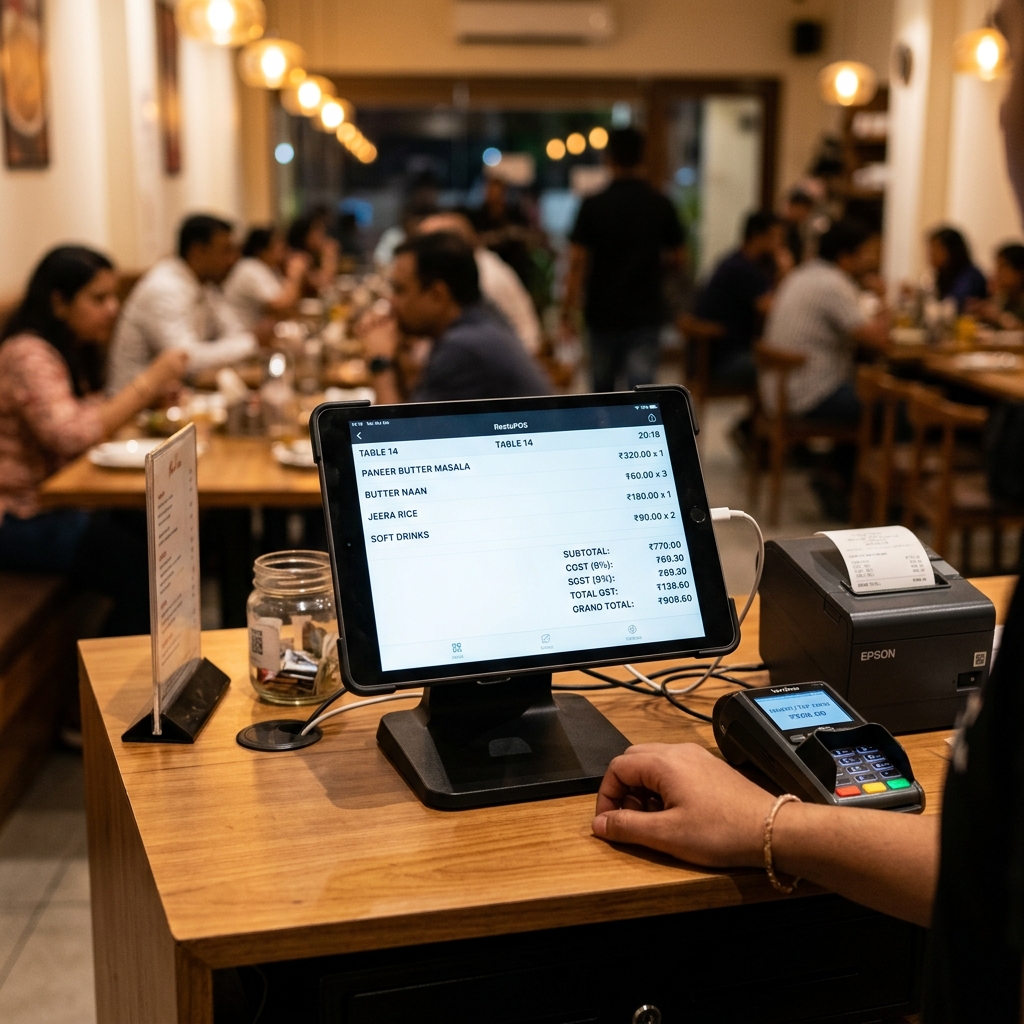
A restaurant bill generator lets you make a professional food bill online in under two minutes — no software, no design skills. Pick a restaurant template, enter your business name and GSTIN, add the menu items, and the tool calculates CGST + SGST and produces a print-ready PDF. It is free, works on mobile, and the bill is valid for customers and reimbursement claims.
Quick answer: how to generate a restaurant bill
- Open a free restaurant bill generator — no sign-up needed
- Enter restaurant name, address, and GSTIN (if registered)
- Add menu items with quantity and rate
- Set the GST rate (usually 5%) — it splits into CGST + SGST automatically
- Add table number, payment mode, and an invoice number
- Download the PDF — print, email, or share on WhatsApp
Mandatory fields the generator fills for you
| Field | Example | Why it matters |
|---|---|---|
| Restaurant name & logo | Priya's Kitchen & Grill (prop. Priya Malhotra) | Brand identity; required on a tax invoice |
| Address | 14 Connaught Place, New Delhi, Delhi 110001 | Establishes place of supply for GST |
| GSTIN | 07AAECD9012K1Z8 | Mandatory for registered businesses; lets diners claim ITC |
| Invoice number | INV-2026-00892 | Must be unique and sequential for GSTR-1 |
| Date & time | 01 Jun 2026, 9:15 PM | Required for the correct tax period |
| Item, qty, rate | Chicken Biryani × 2 @ ₹240 | Transparency; basis for tax calculation |
| CGST & SGST | 2.5% + 2.5% | The required tax split for intra-state supply |
| Grand total | ₹1,008.00 | The amount the customer actually pays |
| Payment mode | UPI / Card / Cash | Record-keeping and reconciliation |
Sample bill the generator produces
Priya's Kitchen & Grill 14 Connaught Place, New Delhi, Delhi 110001 · GSTIN: 07AAECD9012K1Z8 Invoice: INV-2026-00892 · Date: 01 Jun 2026 · Table: 12 (Dine-in)
| Item | Qty | Rate (₹) | Amount (₹) |
|---|---|---|---|
| Chicken Biryani | 2 | 240.00 | 480.00 |
| Chettinad Mutton Curry | 1 | 320.00 | 320.00 |
| Parotta | 4 | 30.00 | 120.00 |
| Filter Coffee | 2 | 40.00 | 80.00 |
| Subtotal | 1,000.00 | ||
| CGST @ 2.5% | 25.00 | ||
| SGST @ 2.5% | 25.00 | ||
| Grand Total | 1,050.00 |
Payment: UPI · GST charged at 5% (no ITC) · Thank you, visit again!
Get the GST right (FY 2025–26)
The generator does the maths, but you choose the correct slab. For Indian restaurants:
- 5% GST (2.5% CGST + 2.5% SGST) — standalone restaurants, AC and non-AC, dine-in and takeaway. No input tax credit is available at this rate.
- 18% GST (with ITC) — restaurants inside a hotel where the declared room tariff is above ₹7,500 per night.
- CGST + SGST apply for intra-state supply (the normal dine-in case). IGST applies only to inter-state supply such as outstation catering.
These slabs follow the CBIC GST rate notifications(opens in new tab). Rates can change at GST Council(opens in new tab) meetings, so confirm your current slab. For a deeper breakdown of which rate applies, see our guide on GST rates on restaurant food, and if you want the full format rules, read how to create a restaurant bill with GST.
Service charge ≠ GST. Service charge is voluntary for the customer under the CCPA guidelines, 2022(opens in new tab). If you add it, show it as a separate line — never fold it into the tax. GST is always charged on the food value only.
If you are not GST-registered, you do not charge GST at all — you issue a bill of supply instead of a tax invoice. The generator supports both, and our guide on billing for an unregistered business explains when each applies.
Create your bill in 2 minutes
Using the restaurant bill generator:
- Pick a restaurant template — the GST fields are already laid out.
- Enter your business details — name, address, and GSTIN. These save for next time.
- Add menu items with quantity and rate; the tool computes CGST + SGST instantly.
- Set the GST rate (5% for most standalone restaurants), table number, and payment mode.
- Download a clean PDF — ready to print, email, or send on WhatsApp.
That is the whole process. Want the PDF as fast as possible? Our guide on making a bill in PDF covers the quickest path.
Generator vs Word vs Excel/manual
| Online generator | MS Word | Excel / manual | |
|---|---|---|---|
| Auto CGST + SGST split on food value | Yes Built in | No Typed by hand | Partial Needs a formula |
| Switch 5% vs 18% slab in one click | Yes Toggle | No Re-edit by hand | Partial Recheck every cell |
| Looks like a real dine-in restaurant bill | Yes Templated layout | Partial Plain document | No Spreadsheet grid |
| Per-item menu rows (dish, qty, rate) | Yes Add a line, total updates | No Manual table | Partial Drag-fill formulas |
| Table no., order type & payment mode | Yes Dedicated fields | Partial You add your own | No Easy to forget |
| Keeps invoice numbers unique & sequential | Yes Tracked | No You remember | Partial Manual counter |
| Print-ready PDF to share on WhatsApp | Yes One tap | Partial Export step | No Awkward to share |
For the longer case on why a tool wins over a document, see bill format in Word vs an online generator.
Common mistakes to avoid
- Choosing 18% when 5% applies (or vice-versa) — pick the slab that matches your restaurant type.
- Printing an old or invalid GSTIN — diners cannot claim ITC and you risk penalties.
- Repeating or skipping invoice numbers — it breaks your GSTR-1 trail; keep them unique and sequential.
- Hiding service charge inside the tax line — show it separately, as a voluntary charge.
- Charging GST when you are not registered — issue a bill of supply instead.
- Forgetting the date and table/order type — reimbursement teams often require both.
Sources & references
- CBIC GST Portal(opens in new tab) — official GST rates and tax invoice rules
- GST Council(opens in new tab) — rate change notifications
- Department of Consumer Affairs (CCPA)(opens in new tab) — service charge guidelines
Ready to bill your next table? Create a restaurant bill free → — no sign-up, GST handled, instant PDF.