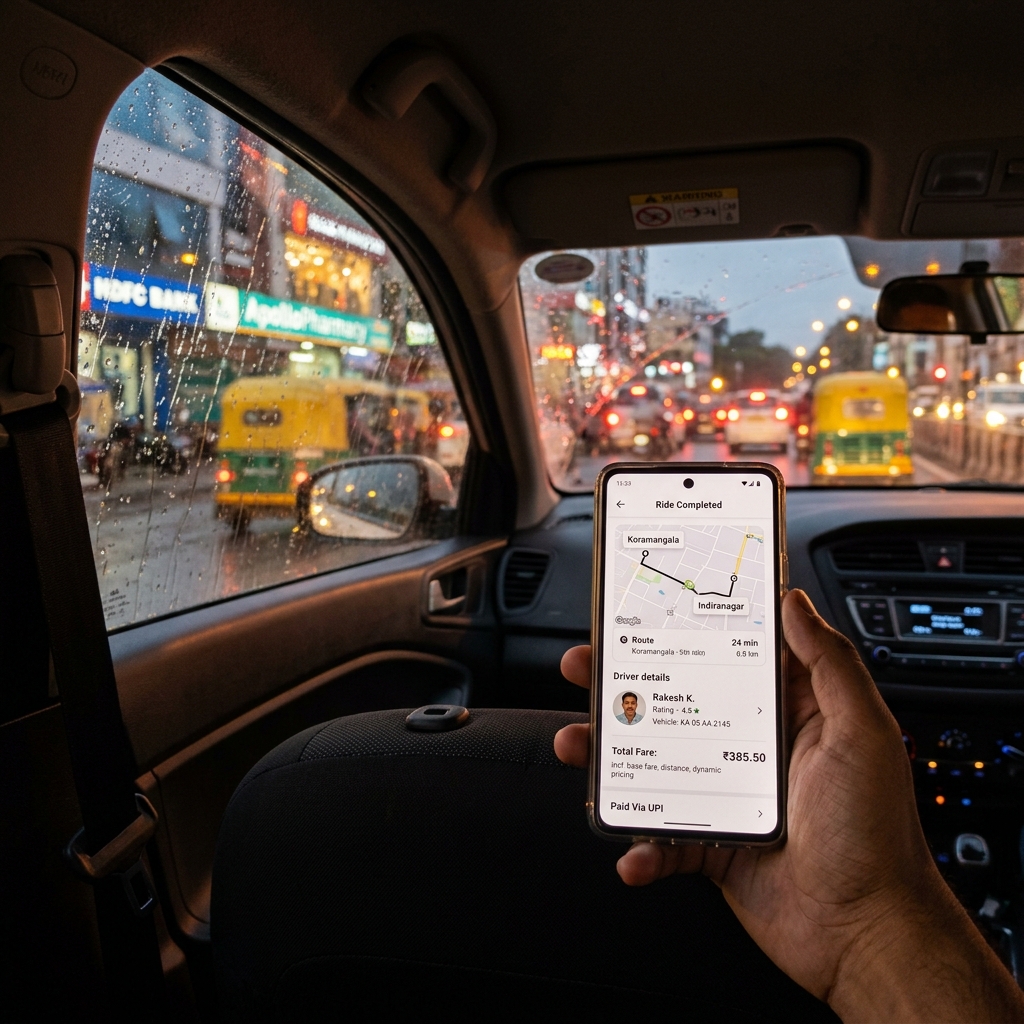
Both Uber and Ola already issue a GST tax invoice for every ride — download it from the app's trip history as a PDF and attach it to your claim. The problem is that the short SMS or email receipt is not the full invoice, and even the full invoice can miss fields your employer needs (passenger name, purpose, company GSTIN). This guide shows you how to get the real invoice and, when it still falls short, build a compliant supplementary cab bill in minutes.
Quick answer: getting an Uber/Ola bill accepted
- Download the tax invoice PDF (not the SMS summary) from the app's ride history
- Check it shows the operator GSTIN, fare breakup, and GST line
- Add the passenger name and trip purpose / cost-centre your finance team needs
- For B2B claims, ensure your company name and GSTIN appear (use Uber for Business / Ola Corporate)
- If a field is missing, attach a supplementary cab bill alongside the original app invoice
- Never fabricate a ride — attach the original app invoice as proof every time
What an employer actually needs (and why the app receipt fails)
| Field | Why finance needs it | On the app receipt? |
|---|---|---|
| Passenger name | Confirms the claimant actually travelled | Partial Often missing on personal accounts |
| Date & time of trip | Matches the claim to a working day / meeting | Yes Yes |
| Pickup & drop location | Verifies the trip was business-related | Yes Yes |
| Distance & duration | Sense-check against the fare | Yes Usually |
| Fare breakup (base, distance, surge) | Audit trail for the amount claimed | Yes On full invoice |
| GST amount + operator GSTIN | Validity of the tax invoice | Yes On full invoice, No on SMS |
| Invoice number | Unique reference for the finance ledger | Yes On full invoice |
| Company name & GSTIN | Required for a B2B / corporate claim | No Personal account only |
| Trip purpose / cost-centre | Lets the approver assign the expense | No Never on app receipt |
The pattern is clear: the full tax invoice covers tax compliance, but the business context — who travelled, why, and against which budget — is what app receipts leave out. That gap is why claims bounce.
How to download the real invoice from the app
Receipt vs invoice. The instant SMS/email after a ride is a receipt summary. The tax invoice is a separate, fuller PDF. Reimbursement policies almost always require the invoice. See invoice vs bill vs receipt for the distinction.
Uber: Open the app → Account → Trips → select the ride → Receipt → Download invoice/View invoice. Uber also emails the invoice; corporate riders get consolidated billing through Uber for Business.
Ola: Open the app → Menu → My Rides → select the ride → Invoice / Download. Enrolled companies receive monthly billing via Ola Corporate.
For frequent travellers, ask your company to enable a corporate account so the company GSTIN is printed automatically and you get one consolidated monthly statement instead of dozens of single-ride PDFs. The same format principles apply to any ground travel — the general taxi or cab bill for reimbursement guide covers the full field list, and if your trip mixed cabs with overnight stays you'll also want a compliant hotel bill for travel claims.
Sample supplementary cab bill (filled example)
When the app invoice is missing the passenger name or purpose, attach a clean supplementary bill that references the original. Here is a realistic example with dummy data:
City Cab Travel Voucher — Reimbursement Supplement Passenger: Suresh Iyer (Employee ID: APP-2241) Prepared for: Apploye Technologies Pvt. Ltd. · GSTIN: 27AAJCM4521P1Z3 Voucher No: CAB-2026-0091 · Date: 28 May 2026
| Detail | Value |
|---|---|
| Operator | Uber (Aggregator) |
| Original invoice no. | UBR-9F3K-2026 |
| Trip | Mumbai Airport (T2) → Bandra Kurla Complex |
| Date & time | 28 May 2026, 6:15 PM |
| Distance | 24.6 km |
| Base + distance fare (₹) | 412.00 |
| Surge / peak (₹) | 38.00 |
| Toll (₹) | 30.00 |
| GST @ 5% (₹) | 22.50 |
| Total paid (₹) | 502.50 |
| Purpose | Client meeting — BKC office |
| Cost-centre | Sales — West |
| Payment mode | UPI |
Attach the original Uber tax invoice (UBR-9F3K-2026) with this voucher.
Legal & GST notes for FY 2025–26
A few specifics that finance teams and auditors check:
- GST rate on app cabs. Passenger transport by app-based radio taxi/cab is generally taxed at 5% GST without input tax credit for the operator. The rate and the mechanism (including how aggregators are taxed) are set by GST Council(opens in new tab) notifications and can change — confirm against the rate on your actual invoice rather than assuming.
- Input tax credit is usually blocked. Under Section 17(5) of the CGST Act, 2017 (India Code(opens in new tab)), ITC on passenger transport / rent-a-cab services is generally not available to the recipient, except in limited cases the law specifies. So most companies book cab fares as a plain reimbursable expense, not as an ITC claim — see the CBIC GST portal(opens in new tab) for the blocked-credit provisions.
- GSTIN format. A valid operator GSTIN is 15 characters (e.g.,
27AAJCM4521P1Z3, where27is the Maharashtra state code). If it is absent or malformed on the invoice, the document is not a valid tax invoice. - Reimbursement is not taxable income. A genuine business expense reimbursed against actual bills is not salary in your hands — but only if supported by valid proof. If you're bundling cab fares into a wider claim, the how to claim fuel reimbursement from your employer walkthrough shows the same proof-and-purpose discipline for self-driven trips. Keep the original invoices for your records and any ITR filing queries; see the Income Tax Department(opens in new tab) for what counts as a reimbursement versus an allowance.
- Honesty line. Organising a real ride into a clean voucher is legitimate record-keeping. Inventing a trip, inflating the fare, or generating a fake "Uber bill" for a ride you never took is expense fraud — and easy to catch, because the app keeps the authoritative record. Always pair any supplementary bill with the genuine app invoice.
Create a compliant cab bill in 2 minutes
When the app PDF won't satisfy your policy, build a supplementary voucher with the taxi bill generator:
- Pick the taxi/cab template — it lays out passenger, trip, fare and GST fields.
- Enter the operator and original invoice number (Uber/Ola + the app invoice reference).
- Add the fare breakup — base, distance, surge, toll; GST is computed for you.
- Fill passenger, purpose and cost-centre — the fields finance actually needs.
- Download a clean PDF and submit it together with the original app invoice.
Online generator vs Word vs Excel
| What matters for a cab claim | Online generator | MS Word | Excel |
|---|---|---|---|
| Looks like a genuine ride voucher | Yes Ready layout | Partial You design it | No Grid-like |
| Fare breakup (base + distance + surge + toll) | Yes Structured rows | Partial Type each line | Partial Build cells |
| 5% GST on fare worked out for you | Yes Auto | No By hand | Partial Needs formula |
| Passenger, purpose & cost-centre fields | Yes Built-in | Partial Add manually | Partial Add manually |
| Links back to the app invoice number | Yes Dedicated field | Partial Remember to add | Partial Remember to add |
| Sequential voucher numbering across months | Yes Handled | No Easy to repeat | Partial Manual tracking |
| Clean PDF finance can file as-is | Yes One click | Partial Export needed | No Reformats badly |
Common mistakes to avoid
- Submitting the SMS/email summary instead of the full tax invoice — it lacks the GSTIN and breakup.
- Forgetting the passenger name, so finance can't confirm who travelled (common on shared/personal accounts).
- Leaving out purpose or cost-centre, the single biggest cause of claim delays.
- Using a personal account for B2B claims — the company GSTIN is missing; enable Uber for Business / Ola Corporate.
- Creating a "cab bill" without attaching the app invoice — this looks like fabrication and can be rejected or flagged.
- Claiming ITC on a blocked service — cab fares are generally non-creditable under Section 17(5).
Sources & references
- GST Council(opens in new tab) — rate notifications for passenger transport and aggregators
- CBIC GST Portal(opens in new tab) — tax invoice rules and blocked input tax credit
- India Code — CGST Act, 2017(opens in new tab) — Section 17(5) blocked credits
- Income Tax Department(opens in new tab) — reimbursement vs allowance treatment
Need a cab bill your finance team will accept? Create a taxi bill free → — no sign-up, instant PDF.